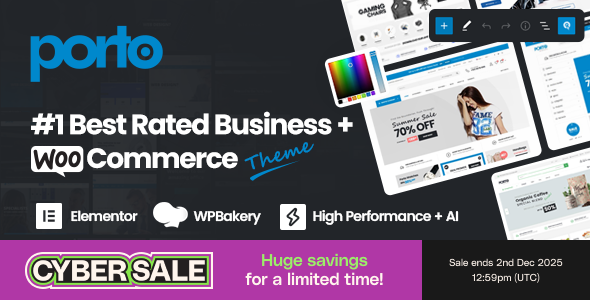
Porto is a long‑running WordPress and WooCommerce theme designed for building modern online shops and business sites without writing code. It focuses on three things you will notice quickly: a wide range of ready‑made demos, deep WooCommerce integration, and a full set of visual builders that let you control almost every part of your site. For a similar focus on modern online stores, consider the Rey - Fashion & Clothing, Furniture WordPress & WooCommerce Theme.
The theme stays current with WordPress 5 and 6 and supports recent WooCommerce versions up to 10.x. It also works with major page builders like Elementor, WPBakery, and the native Gutenberg editor, so you can fit it into your preferred workflow.
With over one hundred thousand sales and thousands of ratings, Porto targets both first‑time store owners and agencies that need a flexible base for many client projects.
Porto ships with a clean, modern layout that adapts to many industries. You can switch between wide, boxed, and full‑width designs, manage containers, and control page, header, banner, breadcrumbs, and footer layouts from Theme Options.
The theme includes more than 30 unique homepages in the core feature list, plus an extended demo library that covers:
You can also use one‑page templates and parallax shop layouts when you want a more focused landing experience.
One of Porto’s strongest areas is layout control. The Template Builder acts as a full site builder where you can design:
Display conditions let you assign different templates to specific pages, categories, user roles, or devices. This is useful when you want different headers for logged‑in customers or custom layouts for particular product categories.
Full Site Editing support in Gutenberg complements these tools. You can adjust theme parts visually inside the block editor while still relying on Porto’s builders when you need more control.
Porto goes beyond basic WooCommerce compatibility. It includes:
For multi‑vendor setups, Porto supports major marketplace plugins such as Dokan, WC Vendors, WCFM, and YITH Multi‑Vendor. It also integrates with YITH Wishlist, Compare, Ajax Search, and other YITH extensions, which helps when you need more advanced shop features.
Performance is a central theme in Porto’s documentation and visuals. The Speed Optimize Wizard gives you a guided set of options, including:
The theme authors highlight Google Lighthouse scores in the range of high 90s for performance, accessibility, best practices, and strong SEO metrics on demo sites. To support this, Porto splits many JavaScript and CSS components so your pages only load the scripts they need. It also includes accessibility work targeted at WCAG 2.2 guidelines across product loops, filters, menus, carousels, and account pages.
Recent changelogs show ongoing refinements to dynamic styles, server response times, and compatibility with performance plugins like LiteSpeed Cache and WP Rocket.
Beyond builders, Porto includes a comprehensive Theme Options panel powered by Redux and a live customizer:
The Tools section lets you refresh Porto Studio blocks, recompile CSS, clear merged assets, and refresh template display conditions when you adjust your site.
The Setup Wizard walks you through:
For ongoing maintenance, Porto adds:
The changelog shows frequent updates to support new versions of WordPress, WooCommerce, Elementor, WPBakery, Slider Revolution, and translation tools like WPML and Polylang. Many entries address PHP 8 compatibility, RTL support, and edge cases from popular plugins, which reduces the chance of conflicts on busy production sites.
If you build your first store, the combination of Setup Wizard, demo import, and Porto Studio blocks helps you get a working layout quickly. You can choose a niche demo that is close to your business, import only one instance of each post type to keep the site lean, and then customize colors, fonts, and content.
For agencies and freelancers, the template and type builders are valuable. You can define a single product template, archive layouts, and global headers and footers, then reuse them across many client sites with different branding. Conditional rendering for Elementor and WPBakery rows and columns also lets you show or hide content based on devices, login status, or roles.
Porto’s demo range supports many industries:
Multi‑vendor demos and marketplace compatibility make Porto a candidate when you want to host sellers on a single platform. Integration with WooCommerce Multilingual, WPML, Polylang, and currency switching plugins also helps when you target multiple regions and languages.
The theme promotes AI‑assisted tools for product content and SEO, which can speed up catalog creation when you manage many products, though you still control the final copy and structure. Another theme offering a comprehensive solution for WooCommerce is the Porto WordPress Theme, which is also known for its extensive features.
Compared to many multipurpose WooCommerce themes, Porto stands out in three areas:
Some themes offer simpler, more minimalist builders, which can be easier if you want only basic customization. Porto instead focuses on giving you control over nearly every template and providing options for both Elementor and WPBakery, plus Gutenberg and Full Site Editing, which is useful when your team uses different tools.
The theme description notes more than 3.5 thousand ratings with an average of five stars and over one hundred thousand sales. Visual badges also highlight that more than 80 thousand site owners use Porto in some form.
While the data here does not include individual quotes, the sustained rating level and sales volume, alongside ongoing updates over many major WordPress and WooCommerce releases, suggest that the theme meets expectations for a wide range of users, from small shop owners to agencies.
Porto is a mature WordPress and WooCommerce theme that mixes a broad demo library with fine‑grained control over templates, performance, and shop behavior. You can use it to launch a simple store quickly or to build complex, multilingual, multi‑vendor sites with custom layouts for each content type.
If you value visual builders, strong WooCommerce extras, and built‑in optimization tools, Porto gives you a framework that can grow with your site. The active update history, performance focus, and wide plugin compatibility make it a practical choice when you need flexibility without leaving the WordPress ecosystem.
We are nothing without our users ! You can help us offer even more high quality content. Please share our page !
 MAFIASHARE
Sharing is caring
MAFIASHARE
Sharing is caring