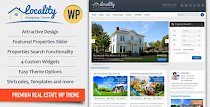
Real Estate 7 is a WordPress theme built specifically for real estate websites. It targets agents, brokerages, residential and commercial developers, and anyone who needs to publish and manage property listings in a structured way.
The theme goes beyond basic listing templates. It combines a flexible design system, a real estate focused CRM, advanced search and mapping, analytics, and integrations with tools you already use. You can use it for residential, commercial, and land listings, and adapt it to different brands and markets.
The developer behind Real Estate 7 has worked on real estate themes since 2008 and highlights tens of thousands of users across earlier products. Real Estate 7 continues that line with regular updates, currently at version 3.5.6, and a focus on solving day to day problems for modern property businesses.
This overview walks through the key features, how they fit together in real projects, and how the theme compares to other options in the same space.
The rest of this article looks at each of these areas in more detail so you can judge whether Real Estate 7 fits your workflow.
Real Estate 7 emphasizes customization without code. You can manage most visual settings through a live previewer, so you see changes before you publish anything.
You can adjust logos, fonts, layout options, and colors directly from the theme options. The live previewer makes it easier to experiment with variations that match your branding or a client’s style without editing templates.
The theme supports more than 400 custom Google Fonts, along with retina ready graphics. That combination helps you produce sharper typography and visuals on high resolution screens.
You can choose from several header layouts, including left, center, right, and a minimal option without a header, each with sub options. This lets you match different branding and navigation styles, from a traditional brokerage look to a more modern, image driven layout.
Real Estate 7 is fully responsive. The screenshots show a clean, mobile friendly design where listing grids, search forms, and maps adapt to smaller screens without clutter. This matters for property search, where many visitors browse on phones during commutes or while touring neighborhoods.
The theme also includes:
These pieces give you control over layout structure while keeping navigation predictable for visitors.
At its core, Real Estate 7 is built to showcase property listings in a structured way.
You can manage residential, commercial, and land listings. Each listing can include agent details, attached documents, and rich media like photos and video. The theme supports file attachments such as floor plans, contracts, and presentations, which appear on the front end for visitors to download.
The mapping integration uses custom Google Maps with marker clusters, infoboxes, and pin styles tailored for property search. The map based search interface lets visitors browse visually by location and zoom level rather than just reading lists.
One of the standout tools is the draw to search feature. Visitors can draw custom shapes directly on the map to define their own search area. That is useful when someone wants to focus on a specific pocket of a city that does not match a formal neighborhood or ZIP code boundary.
Beyond maps, Real Estate 7 includes an advanced search system that you configure via drag and drop. You can enable, disable, and reorder search fields without coding. This allows you to emphasize the criteria that matter most in your market, such as beds, baths, price range, city, state, or postal code.
Buyers can also:
The email alert setup screen in the promo materials shows granular criteria like property type, status, beds, baths, price range, and location, which helps buyers narrow down exactly what they want. Automated alerts keep your site sticky and encourage repeat visits without extra manual work.
Visitors can mark favorite listings and later review them under a “My Listings” area tied to their account dropdown. That small feature can significantly improve the experience for serious buyers who shortlist multiple properties over time.
Real Estate 7 integrates with Elementor, a popular visual page builder for WordPress. Instead of relying on generic content blocks, the theme ships with a library of real estate specific Elementor modules.
The promo images highlight custom “CT” modules such as:
These modules let you assemble pages that mix search bars, listing displays, agent profiles, and content blocks in many combinations.
For example, you could build a homepage that starts with a full width draw to search map, followed by a CT Listings Grid of featured properties, then an agent highlight section using CT Agent, and finally a CT Listings Carousel of latest listings.
Because Real Estate 7 includes prebuilt sites for Elementor, you can import a complete starter layout and then adjust it rather than designing every page from scratch. The one click demo import system handles this process. You choose a demo, click import, and the theme sets up content, menus, widgets, and widgetized sidebars for you.
One of the defining aspects of Real Estate 7 is its built in CRM. Instead of pushing leads into a separate system by default, the theme includes tools to capture, qualify, nurture, and manage them from inside your WordPress installation.
From the promotional materials, the CRM includes:
This setup lets you move beyond simple contact form emails. You can track where your leads come from, which listings or pages they interact with, and how they progress over time. Tags help you segment leads by interest, location, or urgency.
Because the CRM sits alongside your listings, you can connect leads to specific properties they inquired about. That context supports better follow up and reduces time spent digging through email archives.
While the built in CRM offers a central hub, Real Estate 7 also recognizes that many teams rely on external CRMs and marketing tools. To bridge that gap, the theme integrates with Zapier.
Using Zapier gives you access to common tools used in real estate and marketing operations, such as:
The promotional images show an emphasis on lead routing and productivity. In practice, this means you can set up automations like:
These workflows reduce manual data entry and help keep your tools in sync. For teams already invested in a CRM, this capability makes the built in lead capture much more useful.
Real Estate 7 includes listing analytics so you can measure which properties and pages perform best.
Screenshots show dashboards with:
With this data, you can identify which listings attract the most attention and which ones need better photos, descriptions, or pricing. For seller clients, you can share engagement stats to show how much visibility their property receives on your site.
Analytics also connect to your marketing efforts. If you drive traffic through ads or email campaigns, you can compare performance across listing types, locations, or agents and fine tune your approach.
Beyond listings themselves, Real Estate 7 provides a wide selection of widgets and templates so you can structure your site around different content types.
The theme includes fourteen custom widgets, such as:
You can use these widgets across sidebars, the footer, and page builder sections to build richer layouts. For instance, a listing detail page might include Agent Info, Listings Agent Contact, and Agents Other Listings in a sidebar, giving visitors multiple ways to connect and continue browsing.
The blog features integrate with these widgets as well. You can publish market updates, neighborhood guides, and buying tips as standard WordPress posts, then surface them in various layouts. The theme is video ready, so you can embed walkthroughs and tours on both listing and blog pages.
On the agent and profile side, Real Estate 7 offers custom user profile fields tailored to real estate. These include fields for profile images, social media profiles, phone numbers, fax, titles, and more.
This allows you to build agent and broker profile pages that feel complete and professional. Because co listing support is built in, you can assign multiple agents to a single listing, with headshots, contact details, and social links displayed on the front end.
Social sharing features are included for Facebook, Twitter, Google Plus, and LinkedIn. Visitors can share listings directly from your site, which helps increase exposure for individual properties.
Buyers who create accounts can save listings, manage their favorites, and adjust saved searches and alerts. This creates a more personalized experience, which can encourage them to return to your site rather than using generic portals.
Real Estate 7 is designed for international use. The theme is translated into 38 languages, including options such as Arabic, Chinese, French, German, Spanish variants, Russian, Turkish, and many others. These translations are machine generated, and more languages are added over time.
The theme supports right to left (RTL) layouts and works with WPML, which is widely used for multilingual WordPress sites. This combination makes it viable for agencies that serve multilingual audiences or operate across several countries.
On the technical side, Real Estate 7 is built with HTML5 and CSS3 and supports WordPress 4.0 and higher. The structure is search engine friendly, with attention given to letting search engines index your content correctly. Built in breadcrumbs also help both users and search engines understand page hierarchy.
A child theme creator is included so you can make customizations safely. By using a child theme, you can override templates or add styles without losing changes when the main theme updates.
Getting started with a complex theme can be challenging, so Real Estate 7 includes several resources to shorten the learning curve.
You get:
The developer also offers live chat support according to the product description, which can be useful if you run into configuration issues or need implementation guidance.
Real Estate 7 emphasizes regular updates, with an ongoing changelog and a history that stretches back to the first release of real estate themes from this developer in 2008. That track record matters if you plan to build your business on top of a specific WordPress stack for years.
Because of its flexibility, Real Estate 7 can support several real world scenarios.
For a solo agent, you might:
For a small brokerage, you could:
For a developer or property management company, you might:
The bulk import feature, via the official WP All Import add on for Real Estate 7, is also valuable when you migrate an existing site or manage a large inventory. You can bring in listings from XML or CSV files instead of adding everything by hand.
Real Estate 7 does not exist in a vacuum. The same author has produced several earlier themes, and there are other long standing options in the market.
Older themes such as WP Pro Real Estate and WP Pro Real Estate 2 WordPress Theme laid the groundwork for modern real estate sites with custom post types and taxonomies. They focused on giving you a manageable listing structure and basic search and mapping.
Later releases like WP Pro Real Estate 3 Responsive WordPress Theme moved further toward powerful listing presentation and responsiveness. In comparison, Real Estate 7 extends the concept into a more complete system, adding CRM features, Zapier integrations, comprehensive Elementor modules, and analytics.
Outside of this family, themes such as RealHomes also target full service real estate sites with their own approaches to listings, front end submission, and design. Real Estate 7 differentiates itself by tightly integrating CRM workflows and by providing detailed lead tracking and marketing automation pathways inside a theme that still supports traditional WordPress content.
When you weigh options, it helps to consider how much you rely on built in CRM features versus external CRMs, and how important Elementor based page building and map centric search are to your project.
While this overview does not quote individual reviews, there are some indicators of how Real Estate 7 performs in the market.
The author has been building real estate WordPress themes since 2008 and is identified as an Elite Author. Promotional materials highlight over 30,000 buyers across their product line, with Real Estate 7 continuing that lineage.
The theme itself has thousands of sales and a long update history, with the latest version marked as 3.5.6. That pattern of updates suggests ongoing maintenance and responsiveness to both WordPress changes and user feedback.
The documentation and instructional video library also point toward a focus on helping non technical users succeed with the theme. For many agencies and agents without in house development teams, that kind of support can matter as much as the feature list.
Real Estate 7 aims to be more than a simple set of listing templates. It combines a flexible, mobile friendly design with real estate specific search, mapping, and content tools, and then layers on a CRM, analytics, and integrations that support your daily workflow.
If you want to:
then Real Estate 7 offers a coherent set of tools inside one WordPress theme.
As with any theme choice, you should map these capabilities to your own processes. If you already rely heavily on an external CRM, Zapier integration may be more important than the internal CRM interface. If you serve multiple languages or right to left markets, the translation support and RTL layouts will play a bigger role.
What stands out is the way Real Estate 7 tries to cover the full lifecycle of real estate marketing, from first search to ongoing lead management, while still letting you build a site that looks and feels like your own brand.
We are nothing without our users ! You can help us offer even more high quality content. Please share our page !
 MAFIASHARE
Sharing is caring
MAFIASHARE
Sharing is caring